PGlite for LiaScript: Full PostgreSQL in the Browser
- André Dietrich
- Template , Tutorial
- May 28, 2026
Teaching SQL usually means setting up a database server, managing connections, and keeping student environments in sync. The PGlite template removes all of that.
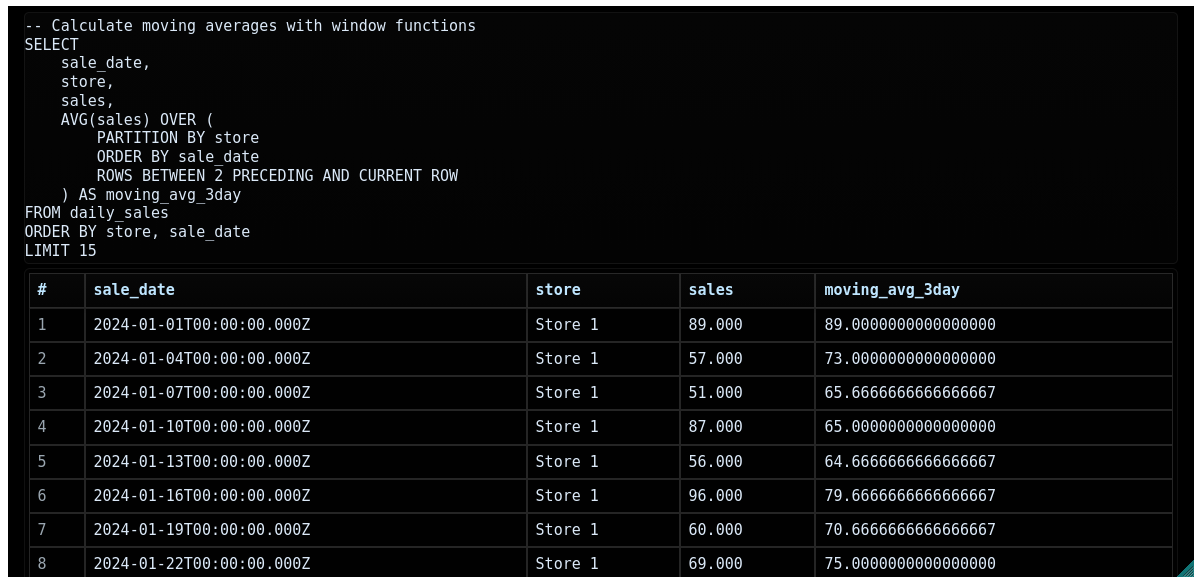
Built on PGlite, a WebAssembly build of PostgreSQL packaged as a JavaScript library, this template gives you the complete PostgreSQL 16 feature set — window functions, CTEs, aggregations, transactions, pgTAP — running entirely in the browser. Each database instance is isolated, persistent within the session, and requires zero infrastructure.
Quick Start
Add the import to your course header:
<!--
import: https://raw.githubusercontent.com/LiaTemplates/PGlite/0.0.7/README.md
-->
Three macros are available: @PGlite.eval(name), @PGlite.terminal(name), and @PGlite.js(name).
The name parameter is the database identifier — all blocks with the same name share one database.
Macro 1: @PGlite.eval(name) — Execute SQL
The most common macro.
Attach @PGlite.eval(name) after a SQL code block to execute statements and display results as a formatted table.
```sql
CREATE TABLE weather (
    city    VARCHAR(80),
    temp_lo INT,
    temp_hi INT,
    date    DATE
);

INSERT INTO weather VALUES
    ('Berlin',   5, 12, '2024-03-01'),
    ('Hamburg',  3, 10, '2024-03-01'),
    ('Munich',   2,  9, '2024-03-01');

SELECT city, (temp_hi + temp_lo) / 2 AS avg_temp
FROM weather
ORDER BY avg_temp DESC;
```
@PGlite.eval(demo)
Multiple @PGlite.eval(demo) blocks share the same database, so you can build tables in one block and query them in the next.
This is ideal for step-by-step SQL tutorials.
Try it live:
Macro 2: @PGlite.terminal(name) — Interactive SQL Shell
The terminal macro turns the code block into a persistent REPL. The initial SQL sets up the database; users can then type queries directly into the terminal below.
```sql
CREATE TABLE products (
    id       SERIAL PRIMARY KEY,
    name     VARCHAR(100),
    price    DECIMAL(10,2),
    category VARCHAR(50)
);

INSERT INTO products (name, price, category) VALUES
    ('Laptop',    999.99, 'Electronics'),
    ('Mouse',      29.99, 'Electronics'),
    ('Desk',      299.99, 'Furniture'),
    ('Chair',     199.99, 'Furniture');

-- Try typing queries in the terminal below:
-- SELECT * FROM products;
-- SELECT category, AVG(price) AS avg_price FROM products GROUP BY category;
```
@PGlite.terminal(shop)
The terminal is perfect for open-ended exploration: students work at their own pace, build queries incrementally, and see results immediately.
Macro 3: @PGlite.js(name) — JavaScript API
For advanced use cases, @PGlite.js(name) provides direct access to the db PGlite object.
This allows programmatic query execution, custom result processing, and integration with console.html() for rich output.
```js
const result = await db.query(`
    SELECT name, grade
    FROM students
    ORDER BY grade DESC
`);

let html = '<ul>';
for (const row of result.rows) {
    html += `<li>${row.name}: ${row.grade}</li>`;
}
html += '</ul>';
console.html(html);
```
@PGlite.js(students)
Database Isolation
Each macro call with a different name gets a completely independent database. This allows multiple independent exercises in a single document without interference.
```sql
CREATE TABLE users (...);
```
@PGlite.eval(db1)

```sql
-- Completely separate database
CREATE TABLE orders (...);
```
@PGlite.eval(db2)
ER Diagram Generation
PGlite includes a special ERDIAGRAM; command that automatically queries the database schema and renders it as an interactive entity-relationship diagram via dbdiagram.io.
```sql
CREATE TABLE customers (
    customer_id SERIAL PRIMARY KEY,
    name        VARCHAR(100),
    email       VARCHAR(100)
);

CREATE TABLE orders (
    order_id    SERIAL PRIMARY KEY,
    customer_id INTEGER REFERENCES customers(customer_id),
    total       DECIMAL(10,2)
);

ERDIAGRAM;
```
@PGlite.eval(schema)
One block creates the tables and immediately generates a visual schema diagram — ideal for database design courses.
Full Template Demo
Use Cases
SQL fundamentals — Teach SELECT, WHERE, GROUP BY, ORDER BY, and JOIN with real databases that students can modify and re-run.
No psql setup, no user accounts, no connection strings.
Database design — Introduce normalization, foreign keys, and constraints.
Use ERDIAGRAM; to visualize the schema after each design step.
Advanced SQL — Demonstrate window functions, CTEs, and recursive queries that are PostgreSQL-specific and unavailable in lighter in-browser SQL engines.
pgTAP and test-driven development — Write database tests with the pgTAP extension and run them directly in the course. Students learn to validate database behavior, not just query it.
Data analysis — Pre-load sample datasets and let students explore them with aggregations, joins, and statistical queries.
PostgreSQL’s generate_series() function makes it easy to create realistic time-series data on the fly.
Technical Facts
| Runs in browser | Yes — WebAssembly (PGlite) |
| PostgreSQL version | 16 (full feature set) |
| Server required | No |
| Multiple databases | Yes — isolated by name parameter |
| Extensions | pgTAP included |
| ER diagram | Yes — via ERDIAGRAM; + dbdiagram.io |
| Interactive terminal | Yes — @PGlite.terminal |
| License | CC0-1.0 |
| Maintained | Yes (TypeScript, version 0.0.7) |
| Version-stable import | Yes (0.0.7 tag available) |
Try It
Try in LiaScript Open in LiveEditor View on GitHubRelated Templates
- SQLite — SQLite in the browser, lighter footprint, same SQL tutorial use case
- DuckDB — analytical SQL with columnar execution, ideal for data science
- AlaSQL — lightweight SQL + NoSQL, works on JSON arrays without DDL
- dbdiagram — DBML-based ER diagrams (also generated automatically by PGlite’s
ERDIAGRAM;)